Create Web Page Monitor
A Web Page Monitor allows you to setup monitoring to check performance, SEO, accessibility, PWA, best practices scores for your web pages, powered by Google Lighthouse.
Add a new Web Page Monitor
Navigate to Web Page Monitors page.
- Click New Monitor button.
- Provide Name for the monitor.
- Provide a Web Page URL to monitor e.g. https://www.example.com
- Select Desktop or Mobile device to use for loading the web page.
- Select the Categories for evaluating the page on.
- Use the category specific sliders to assert minimum scores for the category.
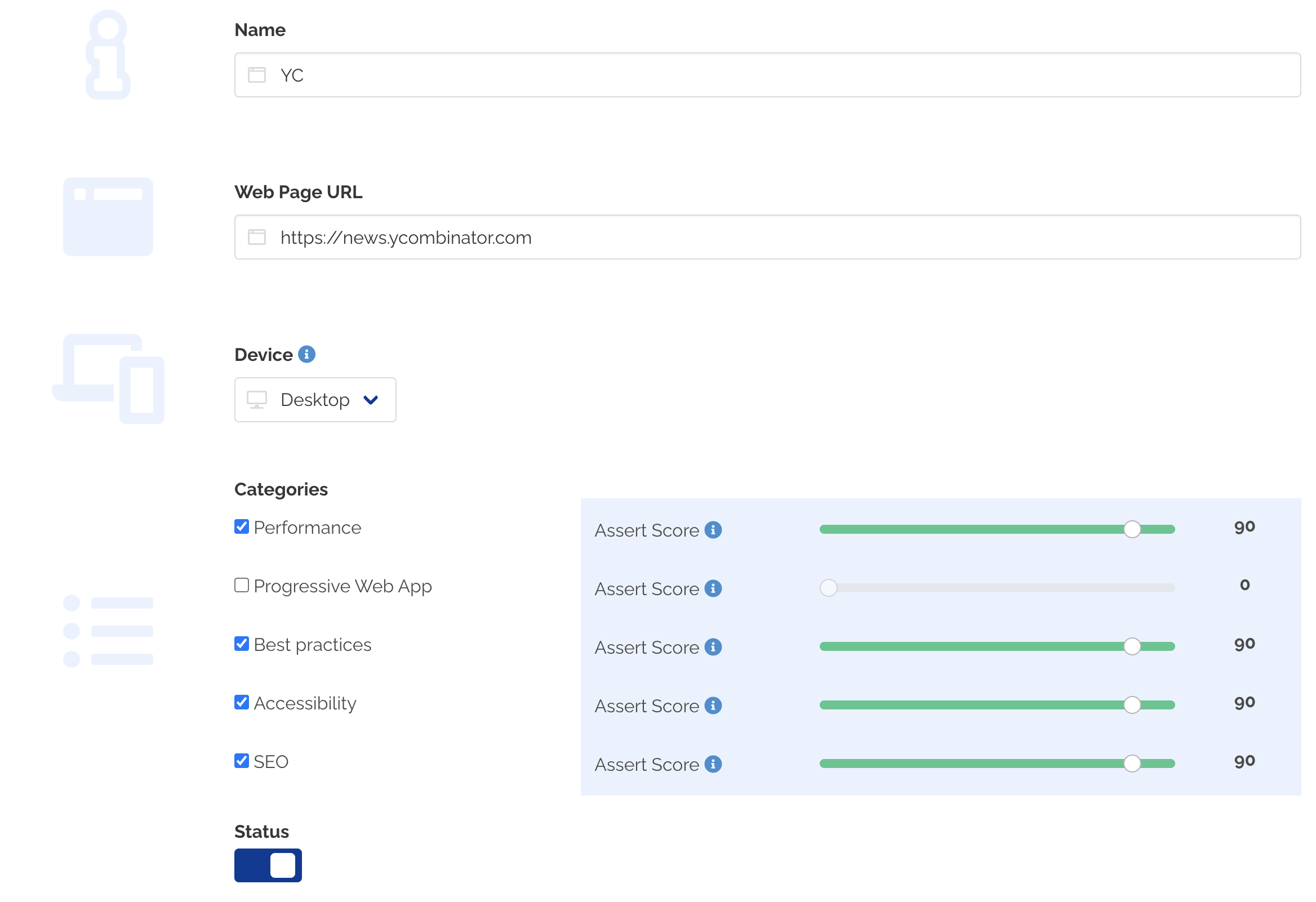
- Leave the Status enabled to immediately enable the monitor on creation.
- Optionally, select multiple monitoring locations for checking the SSL certificates for your domain from multiple geolocations.
- Click Submit
- A new Web Page monitor is created for the URL.
caution
Web Page monitors only measure the quality of your web page by running Lighthouse audits on your page. Any SSL certificate errors are ignored during this check.
danger
The maximum execution time for completing an audit on your web page is ~60 seconds. Monitoring checks can be marked as skipped if your web page takes longer time to load and alerts/notifications will not be sent in such cases.