Remove user from Workspace
Users with Admin User role will be able to remove users from a Workspace. Users removed from a Workspace will no longer be able to login to the Workspace after the expiry of their current session (if exists).
Removing a user from a Workspace will not automatically remove any entities that the user has previously created in a Workspace.
Removing user
To remove a user from a Workspace:
- Login to a Workspace and navigate to Users page.
- Identify the user record to be removed.
- Hover on the ellipsis icon on the user's tile. A menu will be displayed.
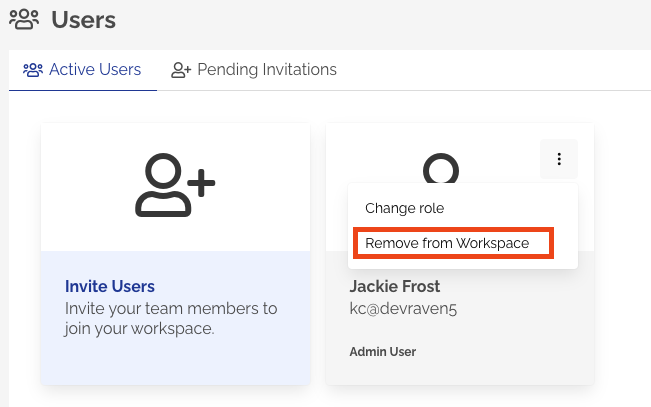
- Click Remove from Workspace from the menu.
- A confirmation dialog will be prompted to confirm the user removal from the Workspace.
- Click Remove User to confirm.
info
Workspaces require at least one user with Admin User role for general administration and billing purposes. Remove User operation will not be permitted if the user being removed is the last user with Admin User role in a Workspace.