Collection Results
A Collection is a container for tests. Collection itself doesn't have a pass/failed state, only the underlying steps in a Collection will evaluate any assertions.
View Results
To view the results for Steps in a Collection:
- Navigate to Collections page from the left navigation menu.
- Click the Collection Name from the list to view the results.
- You will be navigated to the Collection's Results page. The page shows the list of all recent runs for the Collection.
- Click any Run ID to see the details.
- The run specific details, including the results for each of the steps in the Collection are shown.
- The Run Status for a Collection shows if the run was able to Complete all the steps defined.
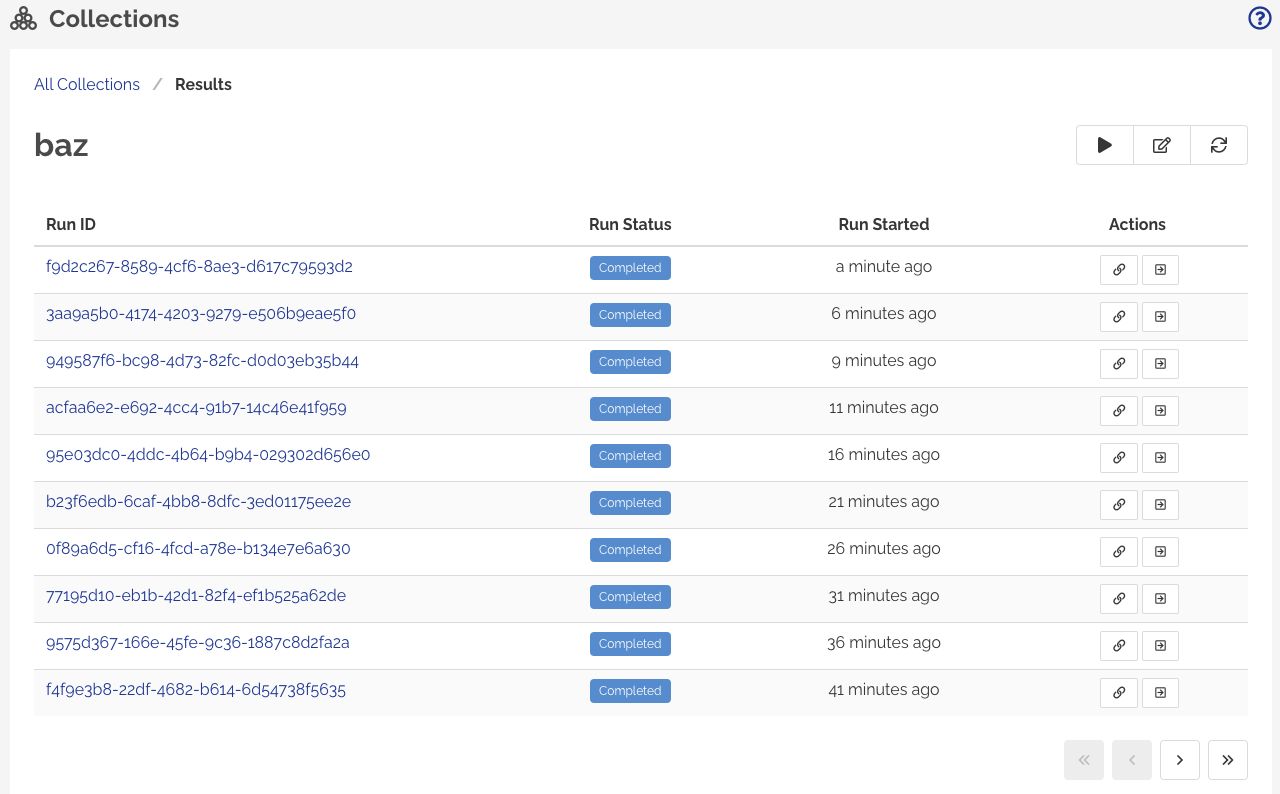
To simplify the display of results for a monitor and to provide a more usable UI, results for a monitor invoked via a Collection are not shown on the Monitor's results page. Navigate to Collection results page to view the monitoring results specific to the Collection.
If your monitor has multiple monitoring locations selected, click Full run details button to view the results for all the locations.
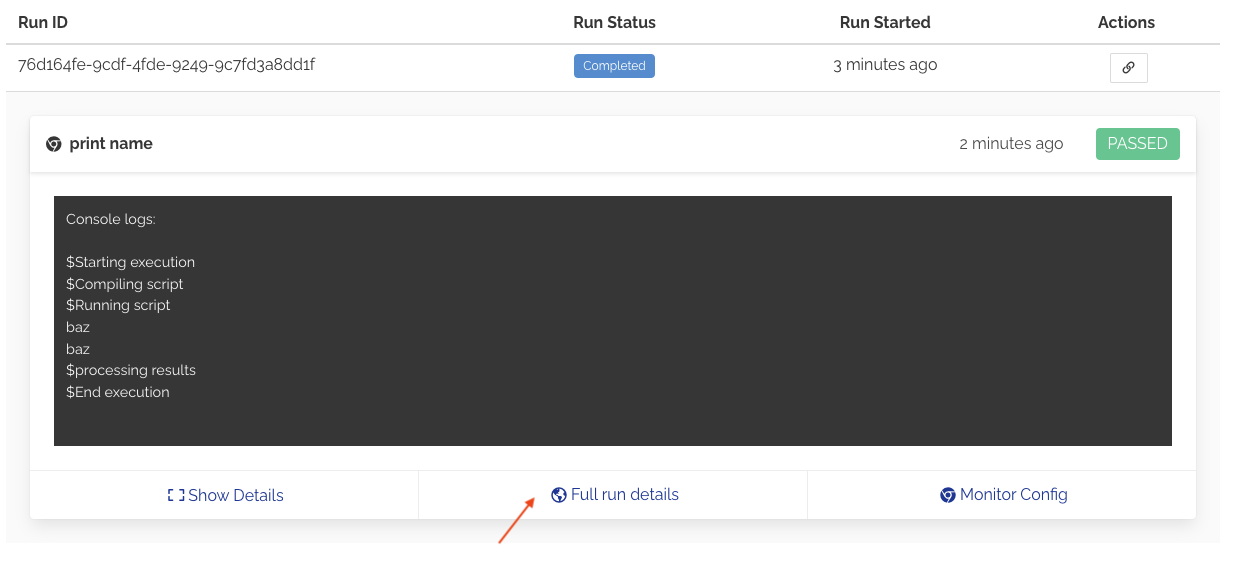
Collection Run Status
Collection's Run Status only represents if all the steps in the Collection are executed during a run.
The Run Status will have following states:
Scheduled - Ready to Run
In Progress - Execution is in progress
Completed - Execution of all the steps is complete
System Aborted - The System has aborted the execution. This is the run state if Abort on Failure/Skip is enabled for the Collection and the run has encountered a failed step.
User Aborted - User has aborted the execution
Error - An unknown error ocurred during execution. This can happen if Steps in a Collection are modified during a run.
Aborting a Run
A Collection run can be aborted if the collection is in Scheduled or In Progress states. Aborting a run doesn't immediately terminate any steps that are already triggered for execution or in-flight.
To abort a run, go to results page for a Collection and click Abort Run button for the Run.
