Remotely trigger a run
Collection runs can be triggered remotely by executing a HTTP request to the collection's trigger URL. This mechanism allows integrating into your CI/CD system so tests can be executed on a newly deployed build. A typical use case would be to create a Collection which includes all the sanity tests for your environment. These tests can be executed at regular interval or you can execute all the tests on-demand when a new build is deployed.
All the steps (tests) in a Collection are executed sequentially. We currently do not support executing tests in a collection in parallel. We plan to support parallel execution of tests in the near future, please reach out to support@devraven.io if you are interested in this feature.
API Key
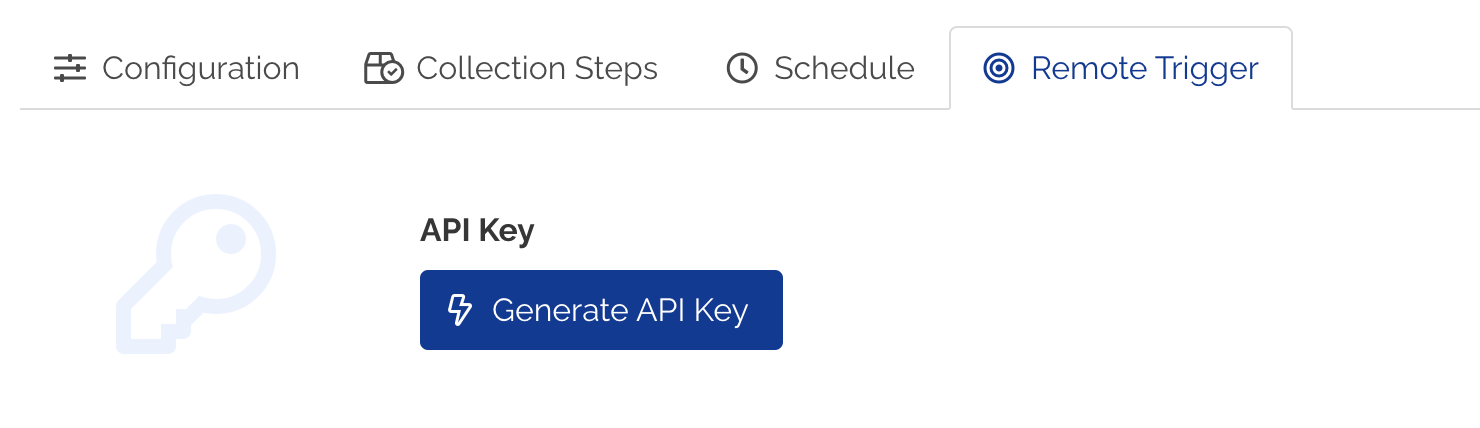
Collections can have optional API keys that can be used for remotely triggering a Collection run. To generate a new API key:
- Navigate to Edit Collection page for your Collection.
- Click Remote Trigger tab.
- Click Generate API Key button.
- A new API Key will be generated for the Collection.
Trigger a Collection run
Following are the details of the HTTP Request for triggering a new Collection run.
Request:
POST https://app.devraven.io/webhooks/collection/<collection-id>
Headers:
x-trigger-token: <your-api-key-here>

Example response:
Status Code: 202 Accepted
{
    "id": "17d5e3a4-61b2-4aa1-b45b-e4b5b86e3b8a", //collection-run-id
    "createdAt": 1668761950676,
    "status": "SCHEDULED",
    "executeAt": 1668761950676,
    "statusCounts": null
}
If passing API key via headers is not a viable option, you can pass the API key as token=<api-key> query parameter for authenticating your request. We recommend passing API key via headers for authenticating your requests.
Check Collection run status
You can check the status of a Collection run using the following API. The HTTP Response object status determines if the execution is COMPLETED and statusCounts will return an array of objects showing a grouped count of statuses for the tests executed.
Request:
GET https://app.devraven.io/webhooks/collection/run/<collection-run-id>
Headers:
x-trigger-token: <your-api-key-here>

Example response:
Status Code: 200 OK
{
    "id": "17d5e3a4-61b2-4aa1-b45b-e4b5b86e3b8a",
    "createdAt": 1668761950676,
    "status": "COMPLETED",
    "executeAt": 1668761950676,
    "statusCounts": [
        {
            "status": "PASSED",
            "count": 2
        }
    ]
}
//the above example response shows a Collecton run with two tests and both the tests PASSED
Status values
Following are the list of valid statuses for a Collection run. Collection statues other than SCHEDULED and IN_PROGRESS represent terminated Collection runs.
- SCHEDULED
- IN_PROGRESS
- COMPLETED
- ERROR
- USER_ABORTED
- SYSTEM_ABORTED
Following are the list of test statuses for objects returned for statusCounts array.
- WARN
- FAILED
- IN_PROGRESS
- PASSED
- SKIPPED