Microsoft Teams integration
You can choose to receive notifications via Microsoft Teams by setting up an incoming webhook URL. We only support sending notifications to one Microsoft Teams incoming webhook URL per Workspace.
We do not currently support sending Microsoft Teams notifications to multiple teams or to monitor specific teams.
Enabling Microsoft Teams integration
- Login to Microsoft Teams app.
- Navigate to the team where you would to receive the notifications.
- Click the ellipsis button on the top right corner for your team.
- Click Connectors menu item in the displayed menu.
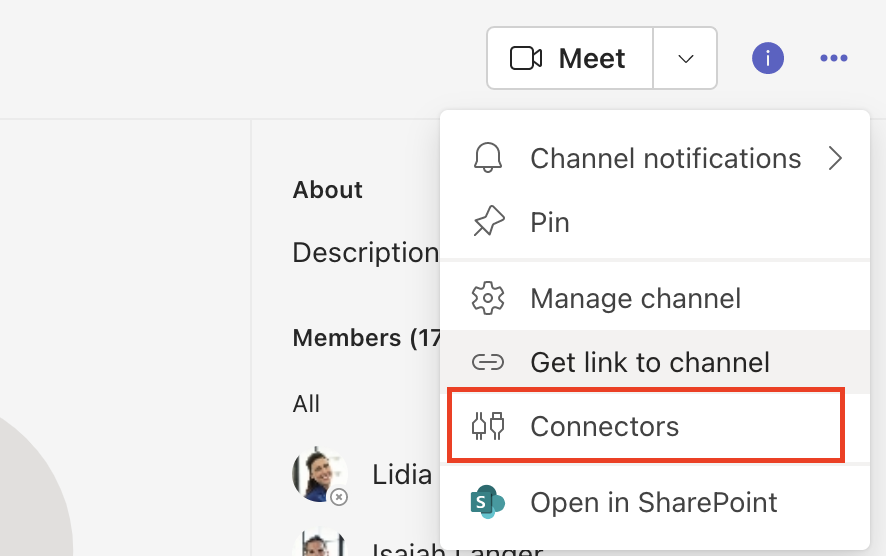
- A modal dialog will be displayed as shown in the picture below.
- Click Add button next to Incoming Webhook
- Click Add button again on the dialog.
- Navigate back to the Connectors dialog again and click Configure button next to Incoming Webhook
- Provide Name as DevRaven and upload the Logo as shown below.
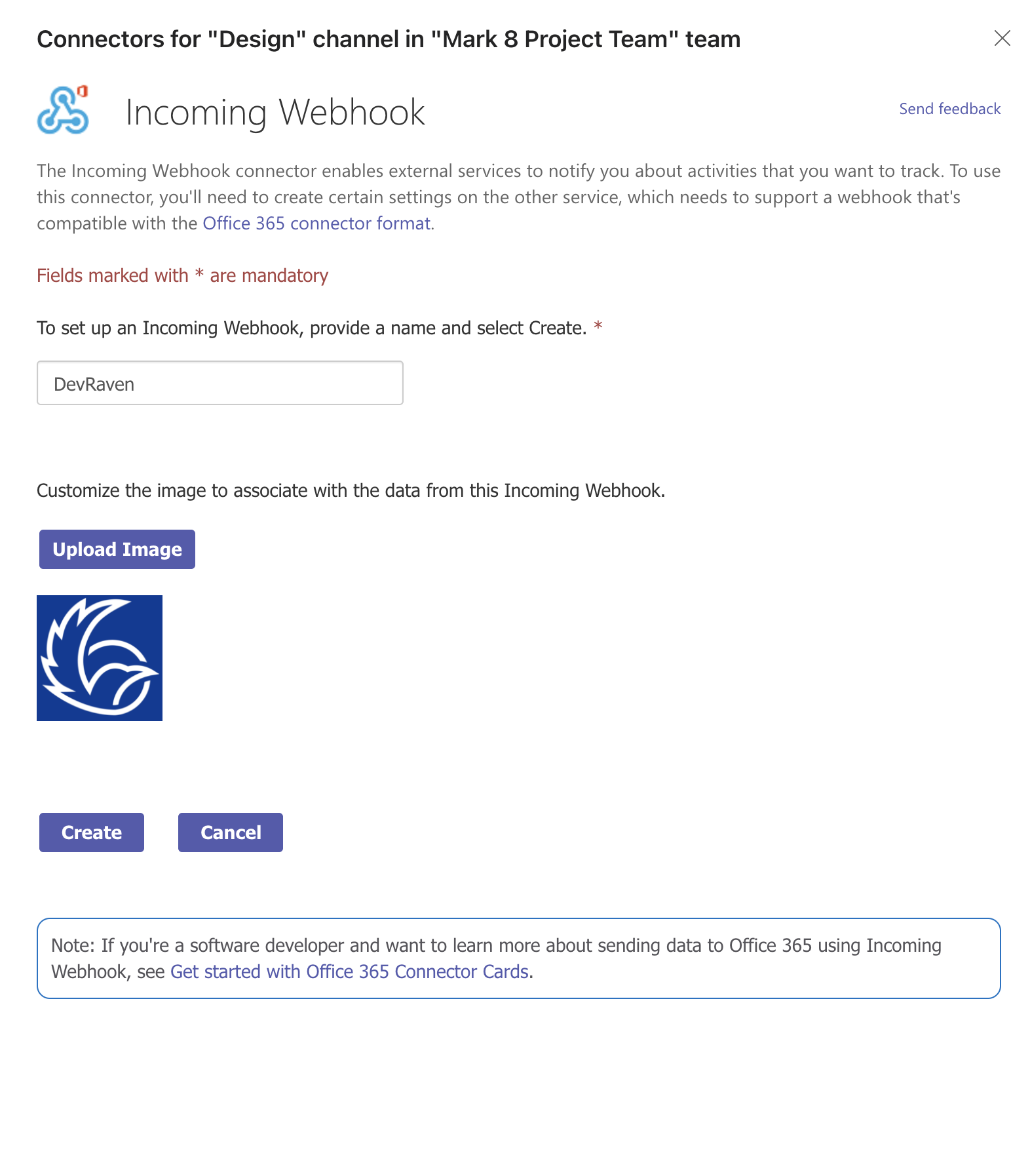
- Click Create button
- Copy the generated Incoming Webhook URL.
- Navigate to Global Alert Channels page in Workspace Settings.
- Paste the copied Incoming Webhook URL to the textbox under Microsoft Teams incoming webhook URL
- Click Save changes
Disabling Microsoft Teams integration
- Navigate to Global Alert Channels page in Workspace Settings.
- Clear the incoming webhook URL under Microsoft Teams incoming webhook URL
- Click Save changes